Contact Support
Open a ticket from the Support page, response times by plan, the account manager on Business and Agencies, and feature requests.
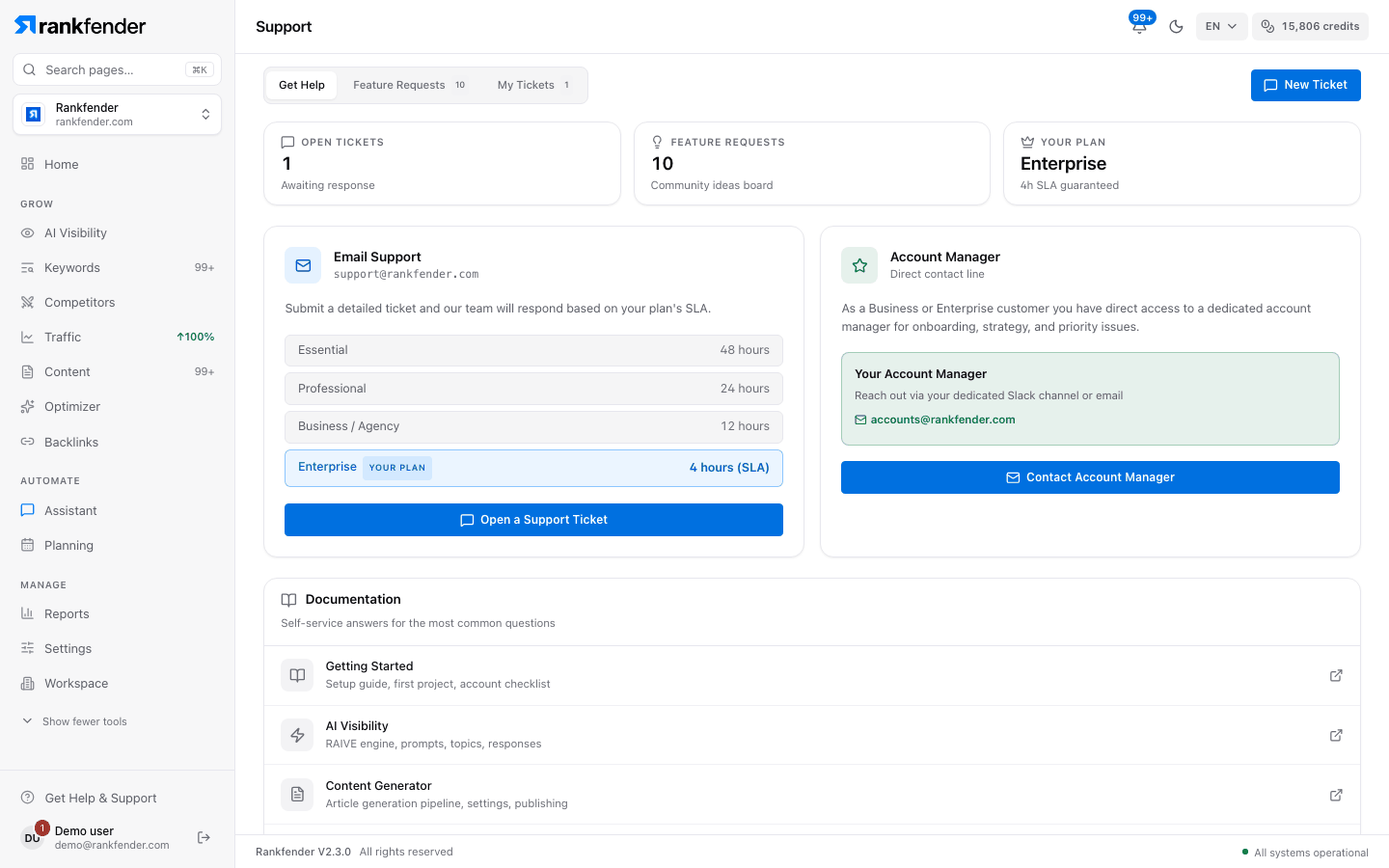
The Support page is where you reach the Rankfender team. Open it with "Get Help & Support" at the bottom of the sidebar. It has three tabs: "Get Help", "Feature Requests" and "My Tickets", and a "New Ticket" button at the top right.
Response times
| Plan | We answer within |
|---|---|
| Essential | 48 hours |
| Professional | 24 hours |
| Business | 12 hours |
| Agencies | 4 hours |
On the Support page, the rows read "Business / Agency" (12 hours) and "Enterprise" (4 hours); "Enterprise" is the Agencies plan. Your row is marked "YOUR PLAN".
Open a ticket
Click "New Ticket" (or "Open a Support Ticket")
The "New Support Ticket" window opens.
Describe the problem
"Subject", "Category" (General, Billing, Technical, Bug Report, Feature Request, Account), "Priority" (Low, Medium, High, Urgent) and "Description": what happened, what you expected, and how to reproduce it.
Click "Submit Ticket"
Follow it in "My Tickets": status Open, In Progress, Resolved or Closed, and our reply under your message.
You can also email support@rankfender.com.
Account manager
On Business and Agencies, the "Account Manager" card gives you a direct contact for onboarding, strategy and priority issues: "Contact Account Manager" writes to accounts@rankfender.com. On other plans the card shows "Upgrade to Business".
Feature requests
"Feature Requests" is a shared ideas board. "Request Feature" asks for a title, a category and a description; your idea is visible to other users, who can vote for it. Each request shows its status: Submitted, Under Review, Planned, In Progress, Completed or Declined.
Other addresses
| For | Write to |
|---|---|
| Plans, Agencies pricing, a demo | sales@rankfender.com |
| Personal data requests | privacy@rankfender.com |
| Security issues | security@rankfender.com |
Tip
Before writing, check Troubleshooting and the FAQ: most common questions are answered there.