Templates and the full project audit
The full project audit in 8 parts, the six report templates, what each template's PDF contains and what the in-app report shows.
Every report comes from the same measured picture of your project. The full project audit is that picture in one PDF; each template is a focused cut of it with the parts that matter for its topic.
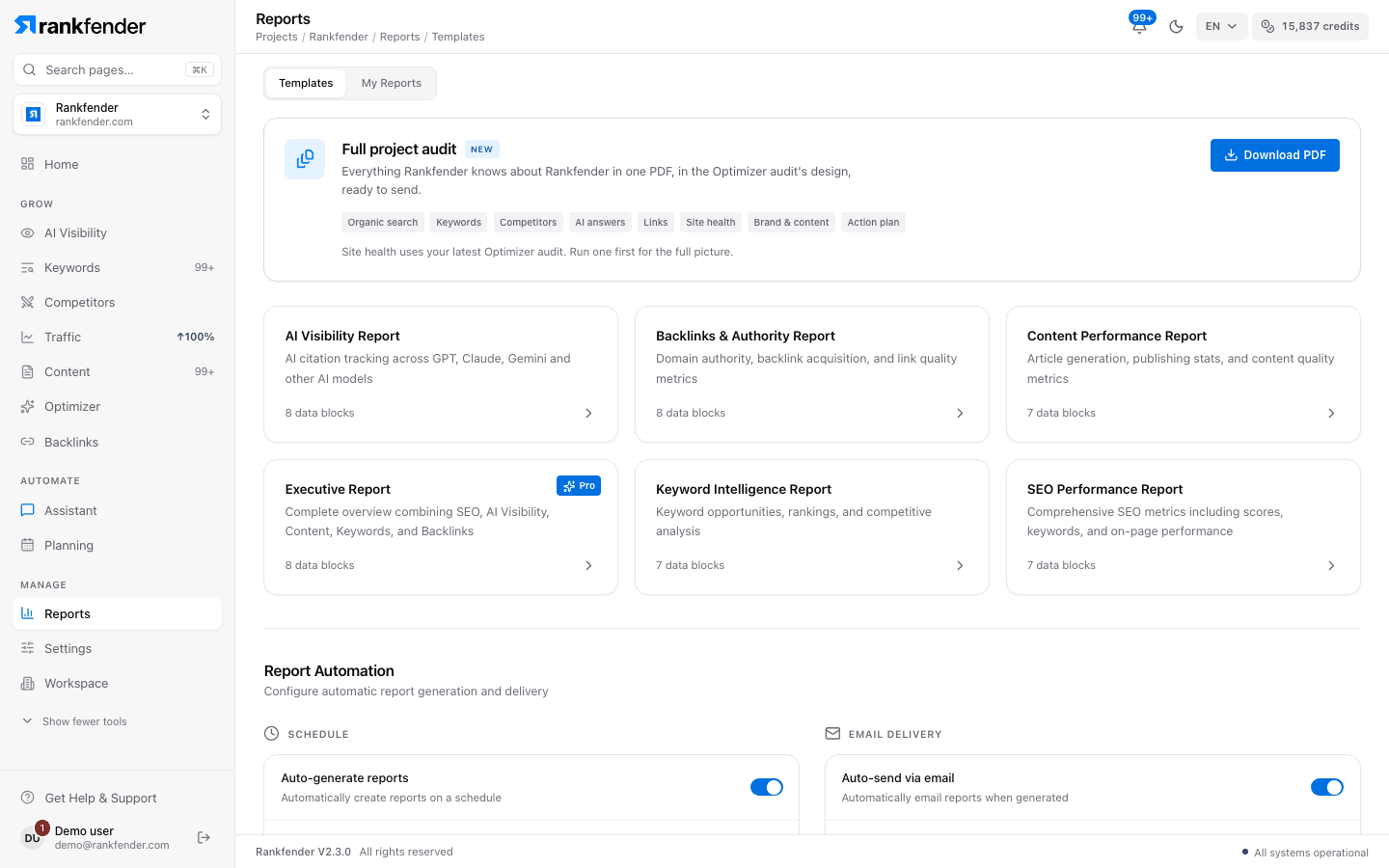
The full project audit
The "Full project audit" card (marked "New") sits at the top of the Templates tab: "Everything Rankfender knows about your brand in one PDF, in the Optimizer audit's design, ready to send." Click "Download PDF"; you see "Building the audit… about 30 seconds" and the file downloads.
Note
"Site health uses your latest Optimizer audit. Run one first for the full picture." If your competitors have never been measured, building the audit measures them first, which uses credits.
The 8 parts
| Part | What it shows |
|---|---|
| "Organic search" | Estimated organic visits a month, keywords ranked, traffic value, searches on page one and just below it. |
| "Keywords" | Where your keywords rank (top 3, 4–10, 11–20, beyond) and the keyword gap with your main competitor: missing, they beat you, you beat them, shared. |
| "Competitors" | You and each competitor side by side: visits, keywords, traffic value, authority, your place by visits. |
| "AI answers" | How often AI assistants name you, the most-named competitor, the questions they win and the assistants checked. |
| "Links" | Sites linking to you and to your competitors, and sites that link to them but not to you. |
| "Site health" | Your latest Optimizer audit: score, issues, robots.txt, llms.txt, sitemap and markup. |
| "Brand & content" | What Rankfender understood about you (value proposition, audience), buyer profiles, topics and content. |
| "Action plan" | The next steps, grouped as Now, 30 days, 60 days and 90 days. |
The first page gives the key figures, three plain facts and the priorities; the last page explains how the audit was made. The PDF is written in English.
The six templates
Each template's PDF ("Export as PDF") holds these parts:
| Template | Parts in its PDF | Plan |
|---|---|---|
| "SEO Performance Report" | Organic search, Keywords, Site health with its findings, Action plan | All |
| "AI Visibility Report" | AI answers, Competitors, Action plan | All |
| "Content Performance Report" | Brand & content, Organic search, Keywords, AI answers, Action plan | All |
| "Keyword Intelligence Report" | Organic search, Keywords, Competitors, Action plan | All |
| "Backlinks & Authority Report" | Links, Competitors, Action plan | All |
| "Executive Report" | Summary page, Organic search, Keywords, Competitors, AI answers, Links, Site health, Action plan | Professional and up |
Each card shows how many data blocks it holds. Below Professional the Executive card is locked with "Pro+".
The report inside the app
"View Report" shows the report in the app, and share links show the same view. It has a cover (with your logo when branding is on), four score cards ("Global Score", "SEO Score", "AI Visibility", "Domain Authority"), then a summary, a performance trend, SEO, AI visibility, backlinks, content, a competitor benchmark and recommendations. These labels are in English. The summary, the competitor benchmark and the recommendations can be switched off in Report Automation › "Content".