Content Settings
Every Content Settings option: language, reading level, style, tone, type, length, links, research mode, automation and plan gates.
Content › Settings holds the defaults every new article of the project is written with. Changes save on their own; a badge next to the section title shows the save state. There are two sections: "AI Writer Defaults" and "Image & Visuals" (explained in Image generation).
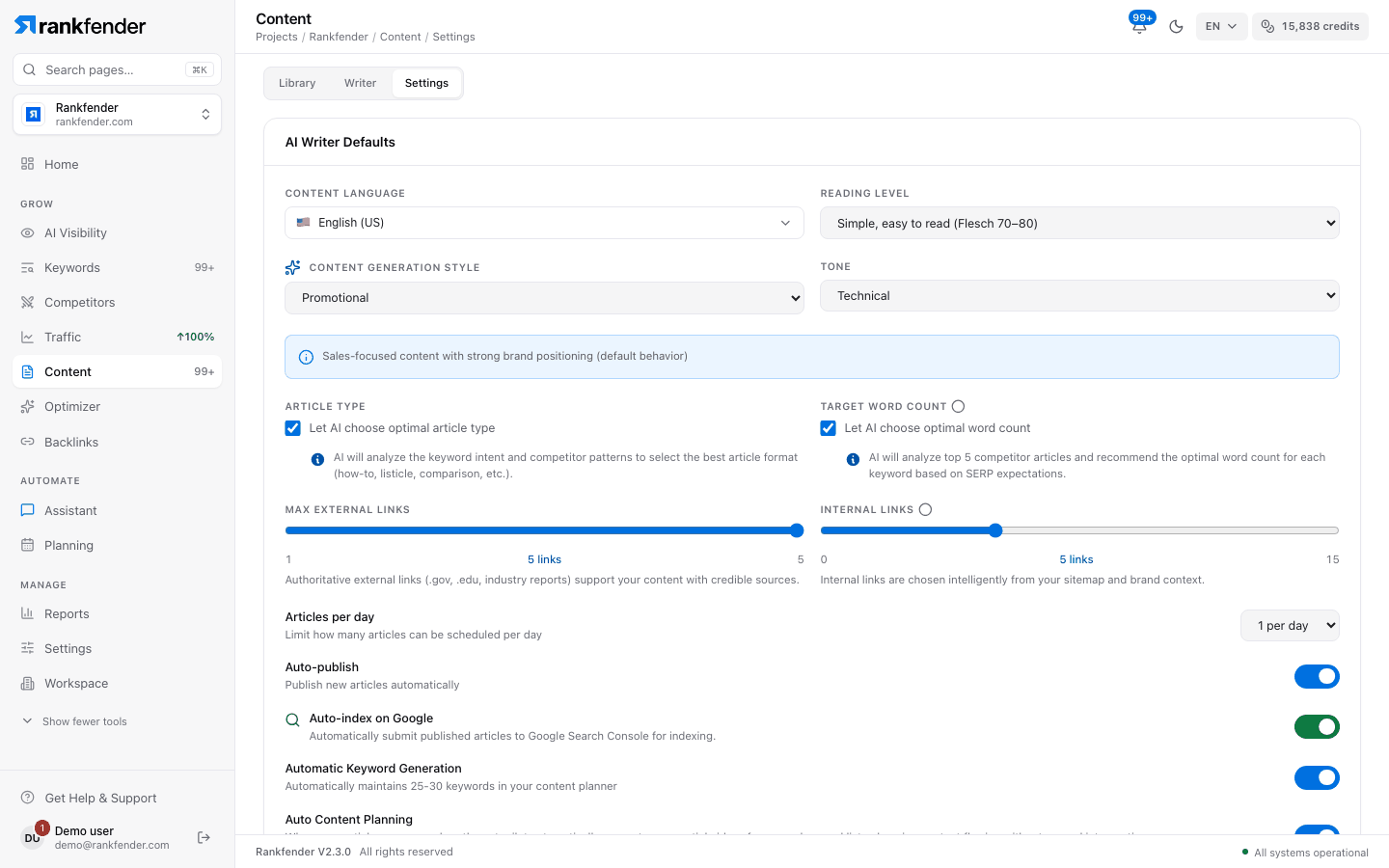
Writing
| Setting | What it does |
|---|---|
| Content Language | The language articles are written in: English (US), French, Spanish, German, Italian, Portuguese, Polish, Dutch, Greek, Arabic, Japanese or Chinese. Changing it also changes the project's language and country. Project setup offers 28 languages; this list shows 12. |
| Reading Level | Simple, easy to read (Flesch 70–80), Professional (Flesch 60–70) or Technical, denser (Flesch 50–60). |
| Content Generation Style | Promotional (brand-forward, the default), Educational/Scientific (no brand mentions), Product Review (your brand as one option), How-To/Tutorial (few brand mentions), Thought Leadership (your brand's point of view) or Listicle/Comparison. |
| Tone | Professional, Conversational, Expert, Friendly, Formal, Technical or Analytical. |
| Article Type | The default type: Blog Post, How-To Guide, Listicle / Best Of, Comparative / VS, Review / Test, Pillar Content or Case Study, or "Let AI choose optimal article type". |
| Target Word Count | 500 to 6,000 words in steps of 500, or "Let AI choose optimal word count" (from the top 5 ranking articles). Essential is capped at 4,000. |
| Max External Links | 1 to 5 links to authoritative sources. |
| Internal Links | 0 to 15 links to your own pages, chosen from your sitemap and brand context. |
| Global Article Instructions | Rules applied to every article, for example "Always include practical examples". |
| Your real experience (optional) | Facts only you know: projects, tests, results. The only source articles may quote in the first person. Leave it empty and articles never claim first-hand experience. |
| Default author (optional) | Name, Role, Profile link and Short bio. Shown as the article author and added to the schema. |
Planning and publishing
| Setting | What it does | Plan |
|---|---|---|
| Articles per day | How many articles one calendar day can hold. | 1 on Essential ("Managed by your current plan"); 1 or 2 on Professional and above |
| Auto-publish | Publishes new articles automatically, but only those that pass the publish gate. Needs a WordPress or webhook integration; without one the switch is greyed out. | All plans |
| Auto-index on Google | Asks Google Search Console to index each published article. Needs Search Console connected with indexing permission ("Re-authorize Google Search Console" when it is missing). | Professional and above |
| Automatic Keyword Generation | The app describes it as "Automatically maintains 25-30 keywords in your content planner". | All plans |
| Auto Content Planning | When the queue runs low, the autopilot plans new article ideas from your keyword list: "Plans N articles/day · 7-day rolling window". At most 7 ideas per run. | All plans |
How these work together is explained in Publishing and autopilot.
Web Research Mode
| Mode | What it fetches | Plan |
|---|---|---|
| None | No live fetches. Fastest, but the article leans on AI knowledge. | Professional and above (shown as "All plans") |
| Standard | The top 3 ranking pages and your brand's pricing and feature pages, fetched live. | Professional and above |
| Deep | Standard, plus competitor pricing pages, a check of every source link and a comparison matrix, for comparisons, reviews and listicles. | Business and above |
On Essential the choice is locked and articles use the default. Fact checking runs whenever research is on.
Note
"YouTube Video" and "Call-to-Action" in Image & Visuals are "Coming soon".