Billing and receipts
Billing & Plans in Account Settings: plan status, paying with Revolut, payment history, PDF receipts, changing and cancelling.
Everything about paying for Rankfender is in Account Settings › "Billing & Plans": open "Billing & Plans" in the account menu at the bottom left. Payments run through Revolut, our payment provider, in EUR or USD.
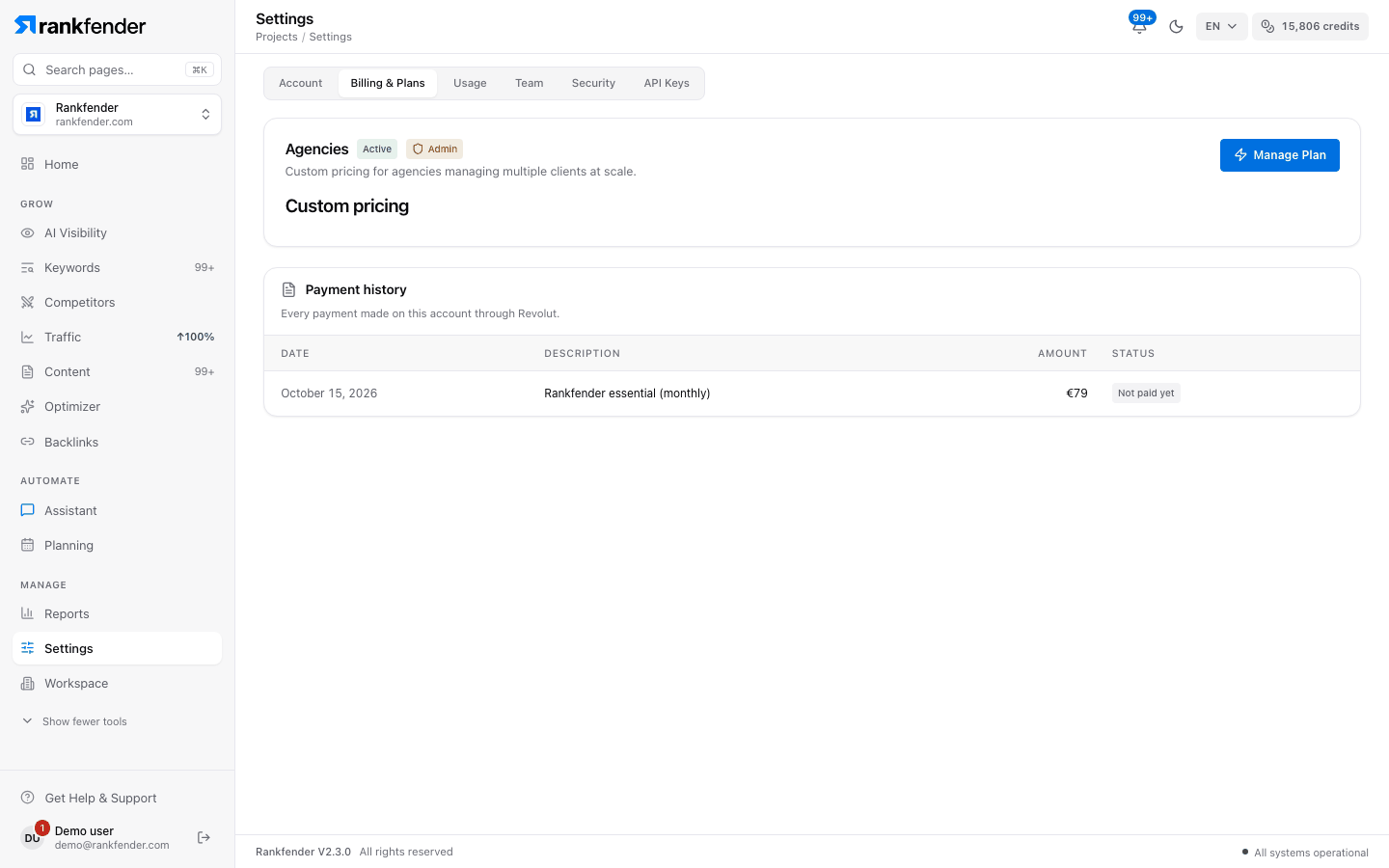
Your plan card
The card shows your plan, what it includes, its price with "billed every month" or "billed once a year", and the buttons "Change plan" and "Cancel subscription". Below, one line per fact:
| Row | What it tells you |
|---|---|
| "Status" | Active ("Paid and running."), Past Due ("The last charge failed"), Cancelled ("No more charges.") or Pending ("Waiting for the first payment to clear."). |
| "Next renewal" | "Your card is charged automatically on this date." |
| "Subscription ends" | Shown after you cancel: "you keep access until then". |
| "Payment card" | To change the card you pay with, email support@rankfender.com: it can't be changed from the app. |
Paying
You pay on Rankfender's own checkout page. "Card details go straight to Revolut, our payment provider — Rankfender never sees them." A plan is paid by card, and the card is saved for the renewals. Credit packs can also be paid with Apple Pay or Google Pay. Your plan starts as soon as the payment goes through.
Payment history and receipts
"Payment history" lists "every payment made on this account through Revolut": date, description (Subscription, Renewal, Credit pack, Backlink plan), amount and status (Paid, Processing, Not paid yet, Failed, Cancelled). Each paid line has a "Receipt" button that downloads a PDF. The receipt confirms your payment; it is not a tax invoice.
Changing your plan
"Change plan" opens the plans window. An upgrade is yours at once and its price applies from the next renewal; a downgrade or a switch between monthly and yearly applies at the next renewal. The currency stays the one you subscribed in. Details: Plans.
Cancelling
Click "Cancel subscription". The dialog lists what you lose, then: "Nothing more is charged. You keep access until the end of the period you've paid for." Choose "Keep my plan" to go back. The plan card then shows "Subscription ends" with the date.
When a payment fails
The status turns to Past Due and the page says: "Your last payment didn't go through. Email support@rankfender.com to update your card and keep your plan."
Other cases
- Invited team members see "You are a seat member": billing belongs to the account owner who invited them.
- Older subscriptions (started before payments moved to Revolut) show "Manage Plan", a "Billing portal" button, "Payment methods" and an "Invoices" table with PDF downloads, and "Cancel plan" at the bottom.
- Usage, the next tab, shows how much of each plan limit you use: Plan limits.
Note
Billing questions: open a ticket with the Billing category, or email support@rankfender.com. See Contact Support.