Keyword gap
Searches your competitors rank for and you don't, the ones where they beat you, and how to track or plan them.
Keyword gap compares your keywords with one competitor's. It answers two questions: which searches bring them visits that you are missing, and where do they rank above you? Each row can go straight to your keywords or your content plan.
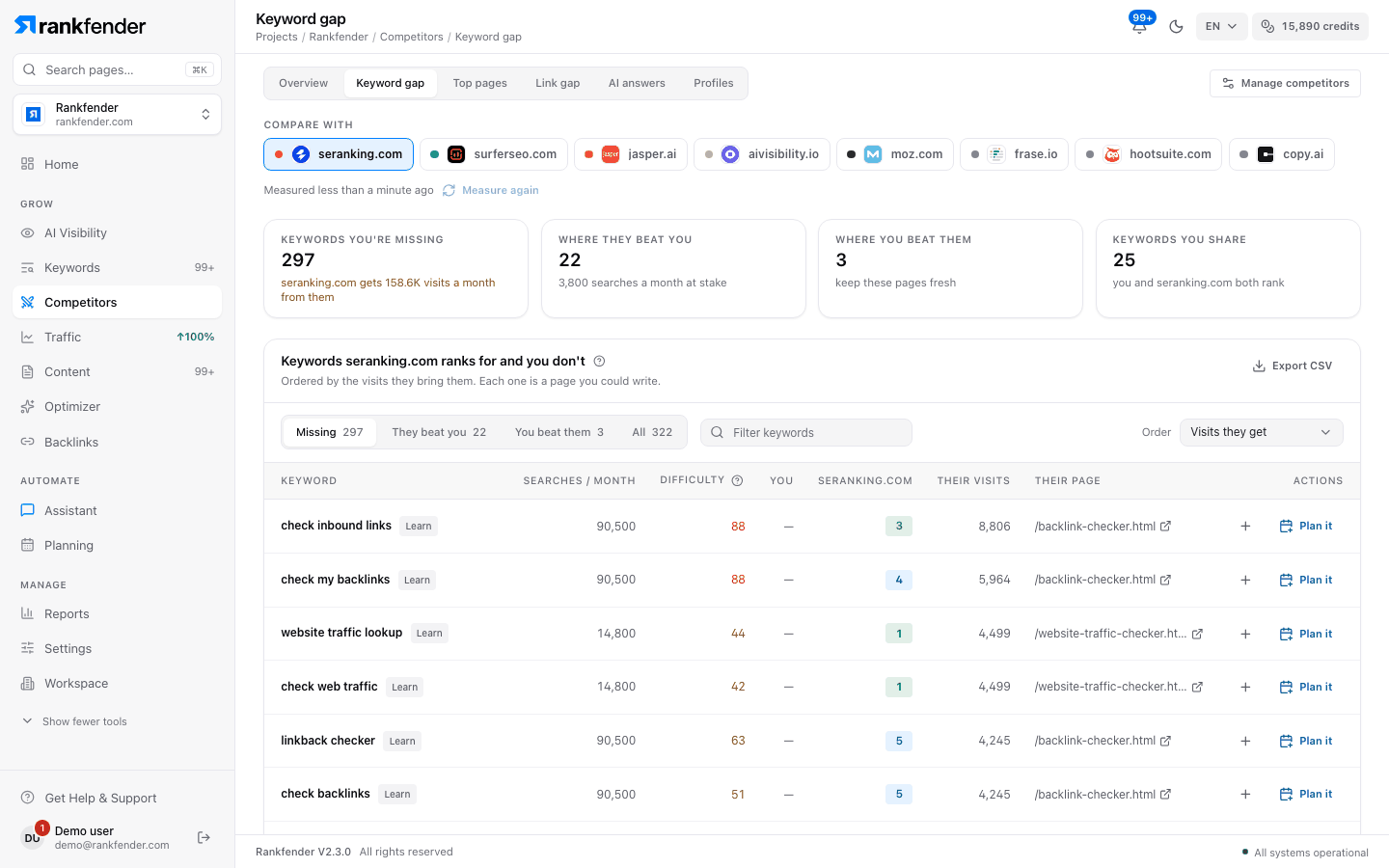
Pick a competitor
Choose who to compare with in "Compare with". The choice is kept when you switch to Top pages or Profiles. The first time you pick a competitor, Rankfender lists the keywords it ranks for, checks where you rank on each one and merges your Search Console positions.
The four figures
| Figure | What it counts |
|---|---|
| "Keywords you're missing" | Keywords they rank for in the top 100 and you don't, with the visits a month they get from them. |
| "Where they beat you" | Shared keywords where they rank higher, with the searches a month at stake. |
| "Where you beat them" | Shared keywords where you rank higher: "keep these pages fresh". |
| "Keywords you share" | Keywords where you both rank. |
Each figure has a "Show: …" link that opens that list below.
Filter and sort
- "Which keywords": "Missing", "They beat you", "You beat them" (also lists keywords where you are level) or "All".
- "Order": "Visits they get", "Searches / month" or "Easiest wins first" (many searches, low difficulty).
- "Filter keywords": type to keep only keywords that contain your text.
The list shows 50 rows at a time; "Show N more" adds the next ones.
The table
| Column | What it shows |
|---|---|
| "Keyword" | The search, with its intent ("Learn", "Find a site", "Compare", "Buy") and, when they are ahead, "N places behind". |
| "Searches / month" | Average monthly searches in your project's country. |
| "Difficulty" | How hard it is to reach the top 10, from 0 (easy) to 100 (very hard), based on the pages ranking today. |
| "You" | Your position. Your Search Console position is used when it is better known. |
| The competitor's domain | Their position. |
| "Their visits" | Estimated visits a month this keyword brings them. |
| "Their page" | The page of theirs that ranks. |
| "Actions" | "Track" and "Plan it" (below). |
Act on a gap
- "Track" adds the keyword to your list in Keywords, with its searches, difficulty, CPC and intent. You see "Keyword tracked", or "… is already in your keywords." when it was there.
- "Plan it" appears on "Missing" and "They beat you" rows. It puts the keyword on your content plan, with the competitor and their page as the reason and source. You see "Added to your content plan" and "… is on the plan. Write it from Content." See Content Overview.
- "Export CSV" downloads the whole comparison: keyword, status, searches, difficulty, intent, both positions, their visits and their page.
"Track" needs the Owner or Admin role; "Plan it" also works for Editors.
How the gap is worked out
Rankfender lists the keywords this competitor ranks for in the top 100 and checks your position on each. It keeps up to 300 keywords per side, the ones that matter most first: shared keywords by searches, missing ones by the visits they bring the competitor. Searches for the competitor's own name are left out ("N searches for … own name are left out"), because those visits are theirs by definition; this applies to names of 5 letters or more.
Note
Positions come from search data on the day shown in "Measured …". They are a snapshot, not a daily position check. If part of the comparison fails, the list says "Part of this comparison couldn't be measured; the list may be shorter than usual."
These are estimates
Visits, keywords, positions and traffic value come from a search-data provider. Visits are worked out from the positions a site holds and how many people usually click at each position. They are not the competitor's own analytics and can differ a lot from what the site really gets. Use them to compare sites with each other, not as exact counts.