Sites
Browse the sites available for your link building plan, with search and category and rating filters. Business plan and up.
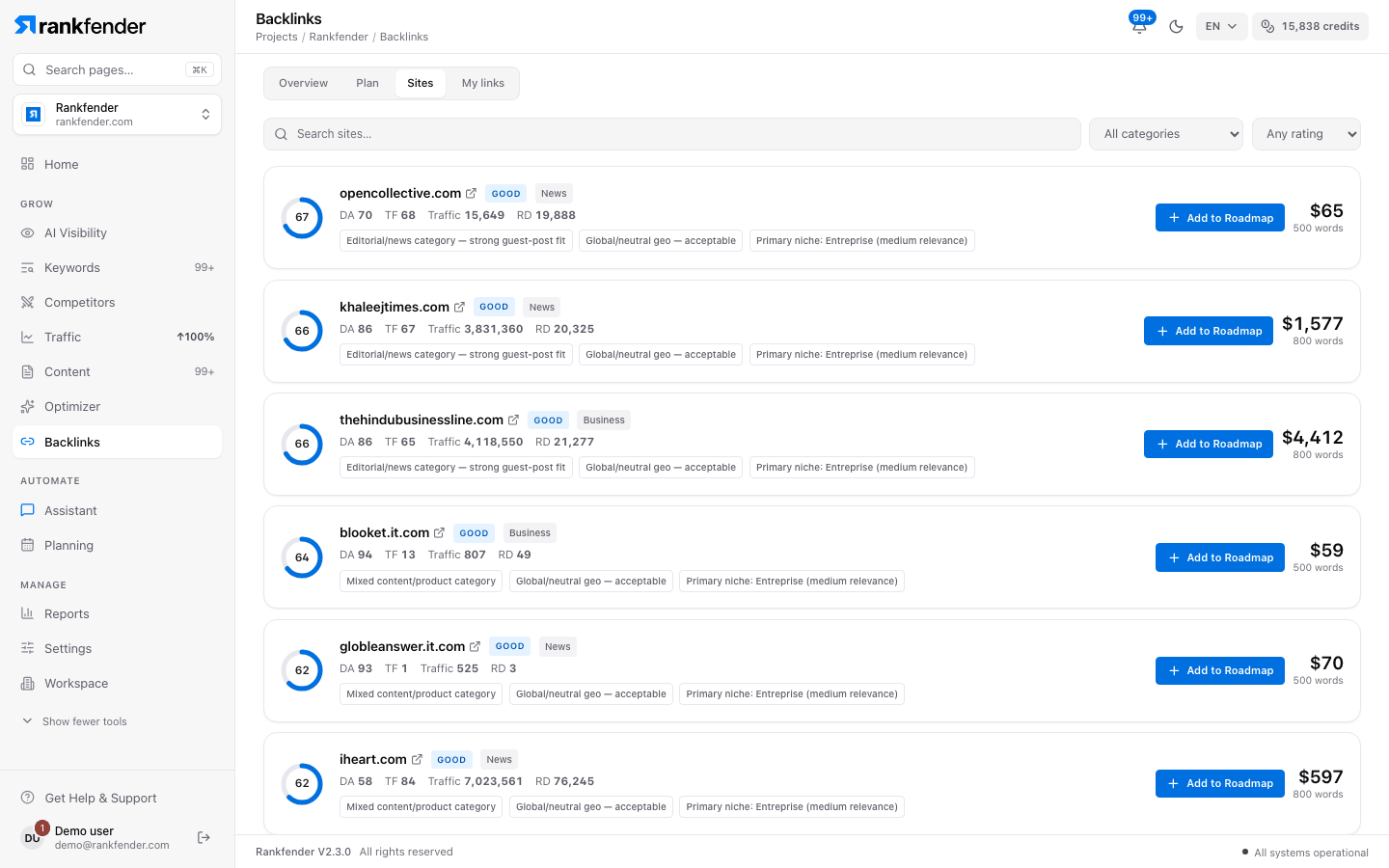
Sites lists the websites that can link to you through your plan, ranked for your project. More than 7,700 sites are scored on how well they fit you: authority, country and niche.Business and up
The first time
If the list is empty you see "These sites haven't been ranked for your project yet" and "Analyze for this project". Click it once ("Scoring…"); the ranking is then kept. Building your first plan does the same.
Search and filter
- "Search sites…": find a site by name.
- "All categories": keep one category, such as News, Business, Tech, Health or Travel & tourism.
- "Any rating": keep only "EXCELLENT", "GOOD" or "MAYBE" sites.
Only sites with an authority of 20 or more are listed. The list shows 60 sites; "Load more" adds 60 more.
What each row shows
| Item | What it means |
|---|---|
| Score ring | How well the site fits your project, 0 to 100. |
| Site name | Opens the site in a new tab. |
| Rating | "EXCELLENT" (70 and up), "GOOD" (50 and up), "MAYBE" (30 and up). |
| Category | The site's main topic. |
| DA · TF | The site's authority and trust scores, 0 to 100. |
| Traffic | Estimated visits a month. |
| RD | How many websites link to that site. |
| Reasons | Up to three short reasons behind the score. |
| Price and words | What one link on that site costs, and the article length it requires. |
Add a site to your plan
"Add to Roadmap" puts the site in month 1 of your plan, with your brand as the link text. You can change the page it points to or the anchor type in the month (see Link building plan).
Click a row for its details: "Domain Authority", "Trust Flow", "Traffic", "Referring Domains", "Price" and "Required words". "Attach your own article" lets you paste your own text (and its address, optional) if you prefer to supply the article for that site.
Note
Prices are shown in your plan's currency (euros or dollars). A site added here is not ordered until your plan is active.