Planning overview
The task board and the editorial calendar in one place: where tasks come from, what each plan includes and who can do what.
Planning is where the work on your project lives. It has two views: the Board, with every task in four columns, and the Calendar, with your articles and dated tasks day by day. Open it with Planning in the sidebar and switch views with the "Board" and "Calendar" tabs at the top.
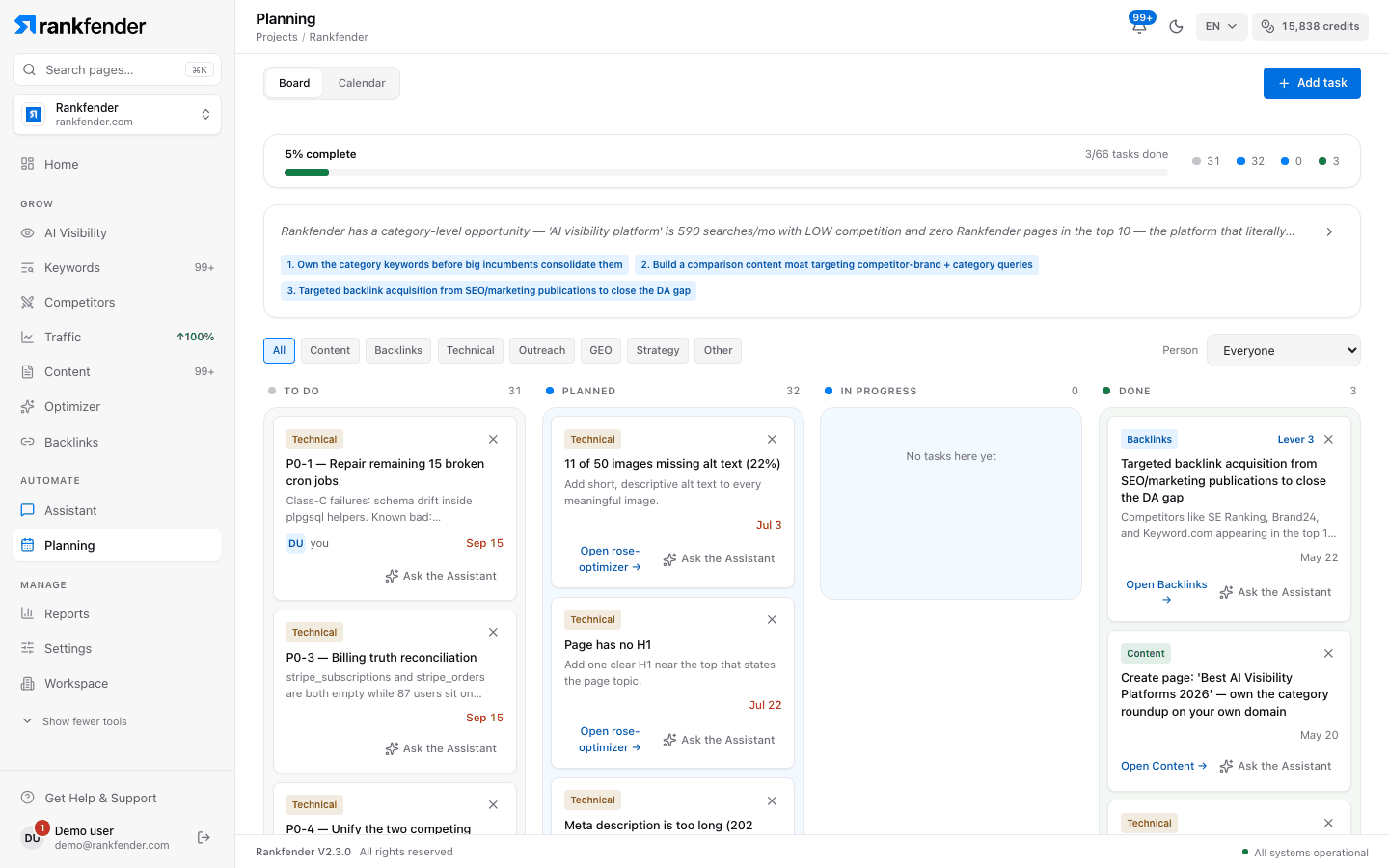
The two views
| View | What it shows | Read more |
|---|---|---|
| "Board" | Every task in To do, Planned, In progress and Done. Drag a card to move it, open it to see how to do it. | Task board |
| "Calendar" | Articles and tasks that have a date, month by month. Build a content plan with "Generate Content Plan". | Editorial calendar |
Where tasks come from
- Site Health (Optimizer): "Add to tasks" on a fix puts it in Planned, dated tomorrow. "Add all to Planning" adds every open fix. When a later audit finds the issue fully fixed, the task moves to Done by itself.
- The Assistant: ask it to build this week's plan; the tasks it suggests land on the board once you confirm them.
- Your strategy: when the board is still empty and your project has a strategy, Rankfender adds its tasks ("Seeded N tasks from your strategy.").
- You: "Add task" at the top of the board.
- The calendar: assigning an article creates a "Review & publish" task for it.
With no task yet, the board offers "Open the Optimizer" and "Ask the Assistant" to get the first ones.
What each plan includes
| Essential | Professional | Business | Agencies | |
|---|---|---|---|---|
| Board and calendar | Yes | Yes | Yes | Yes |
| Assign tasks to people | No | Yes | Yes | Yes |
| Articles per "Generate Content Plan" run | 1, 3 or 5 | 1, 3, 5 or 7 | 1, 3, 5 or 7 | 1, 3, 5 or 7 |
Pay as you go has Essential's features, without assigning. What counts is the project owner's plan: on a Professional project, every member can assign. Assigning is explained in Assigning tasks and guests Professional and up.
Who can do what
Everyone on the project sees the board and the calendar. Assigning tasks and generating a content plan need the Owner, Admin or Editor role. See Roles and permissions.
Note
The calendar used to be the "Planning" tab of Content (the content planner). Old links to it now open Planning › Calendar.