What is RAISA?
RAISA, the Assistant: an SEO agent that reads your project's data and, once you confirm, adds keywords, writes articles or runs checks.
RAISA is the Assistant in Rankfender: an SEO agent for one project. You ask in plain words. It answers from your project's own data and, when you ask, does the work in Rankfender for you.
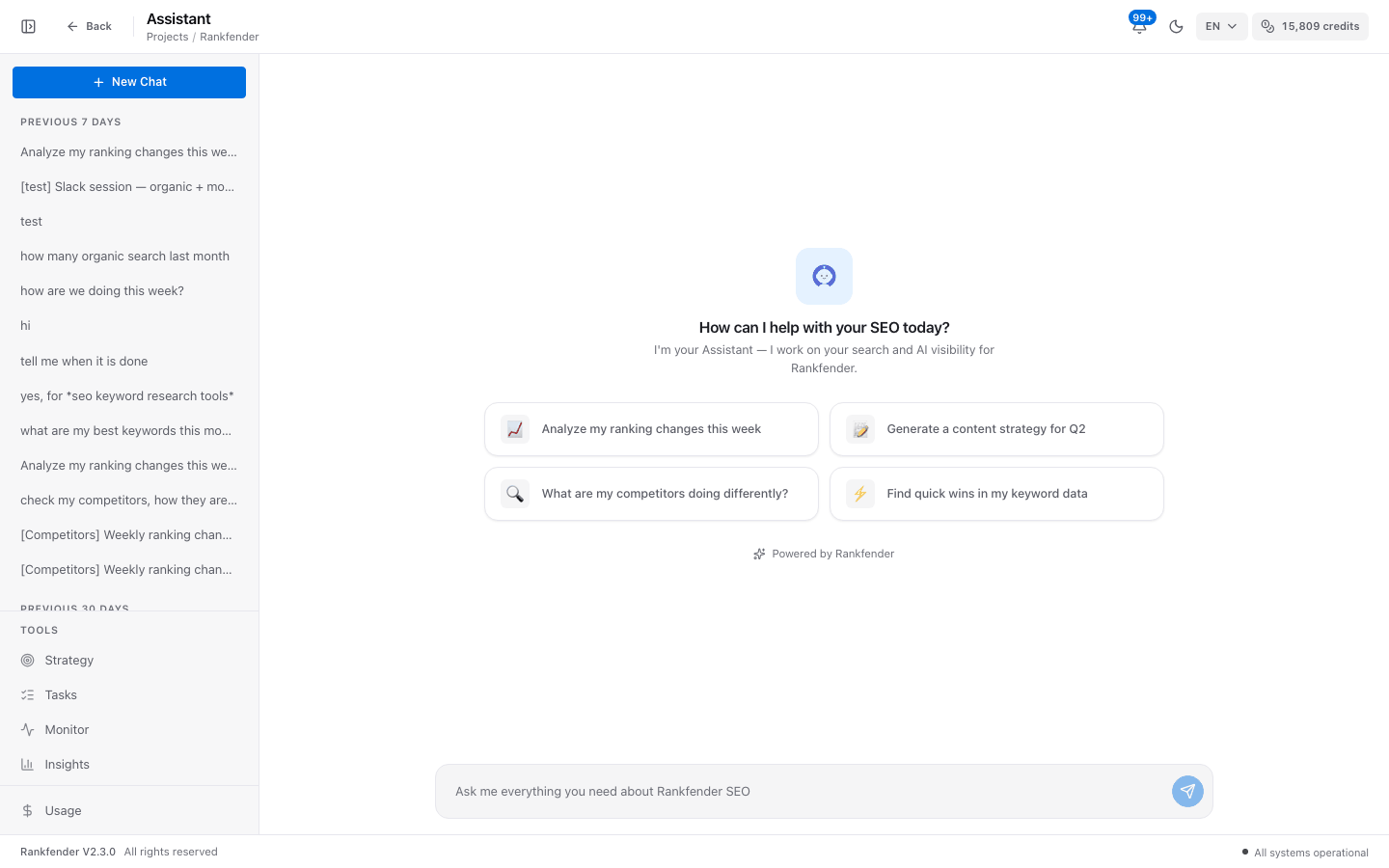
Where to find it
In the sidebar, under Automate, click "Assistant". It has its own menu: "New Chat" and your past chats, then "Strategy", "Tasks" and "Usage". During your first 14 days the sidebar shows a short menu: click "Show all tools" to see "Assistant". "Ask the Assistant" buttons on the Strategy page and in Planning open the chat with the question already written.
What it reads
| Area | What the Assistant sees |
|---|---|
| Organic search | Rankfender's own search data: keywords in the top 100, estimated visits, new and lost keywords. Works without Google. |
| Search Console clicks, impressions and positions, GA4 sessions and conversions, only when Google is connected. | |
| AI visibility | Your score, how often each assistant names you, strongest and weakest topics, share of voice, and what an assistant answered to a question. |
| Competitors | The data already measured on the Competitors page. It never measures again. |
| Backlinks | Your stored backlink profile, referring domains and the status of your link building plan. |
| Site audit | The latest Site Health score and the top issues with their fix. |
| Credits | Credits available, credits used this month and the reset date. |
| Your project | Keywords, articles and the calendar, Planning tasks, the weekly strategy, the Brand Book and what you asked it to remember. |
What it can do
- Look up any of the data above and explain it.
- Read a page of your site or of a competitor: title, meta description, headings, word count, schema.
- Add, rename or delete tracked keywords.
- Plan article ideas on the calendar, move them, or have an article written.
- Run a site audit or an AI visibility check.
- Write fixes for you to paste: schema markup, an FAQ block, an llms.txt file, a robots.txt that lets AI crawlers in.
- Generate the weekly strategy and change the status of tasks.
- Build a report with a share link, or email a summary to your own address.
Every action, grouped: Chat and actions.
You stay in control
- Writing an article, running a site audit and running an AI check always wait for your "yes".
- Suggested actions appear as buttons under an answer. Nothing happens until you click one.
- Small edits you ask for in so many words, such as "add these three keywords", are made right away, and the answer says what changed.
- It never changes your website. Code, llms.txt and robots.txt are given to you to paste.
- Emails go only to your own account address.
- It answers questions about your project and SEO only.
Which AI model answers
| Plan | Model |
|---|---|
| Professional, Business, Agencies | Claude (Anthropic) |
| Essential, Pay as you go | Another AI model |
The project owner's plan decides, so teammates get the same model as the owner. If Claude is briefly unavailable, that answer comes from the other model.
Credits
Each message uses credits from your monthly allowance, usually a few. A job started from the chat uses that job's credits: 30 for an article, 25 for an AI check. With no credits left, the chat shows "You're out of RAISA credits." until you top up. See Assistant usage and Monthly credits.
Tip
Start with "What changed in my organic search this week?". While it works, a line shows what it is reading, such as "Reading your organic search data...", so you know where the answer comes from.