Gaps
Everything the audit found, grouped by where buyers reach you: Google search, AI answers and answer boxes.
"Your biggest gaps" shows everything the audit found, grouped by where buyers reach you: Google search, AI answers and answer boxes. It answers one question: which pillar needs work first? Start where the score is lowest.
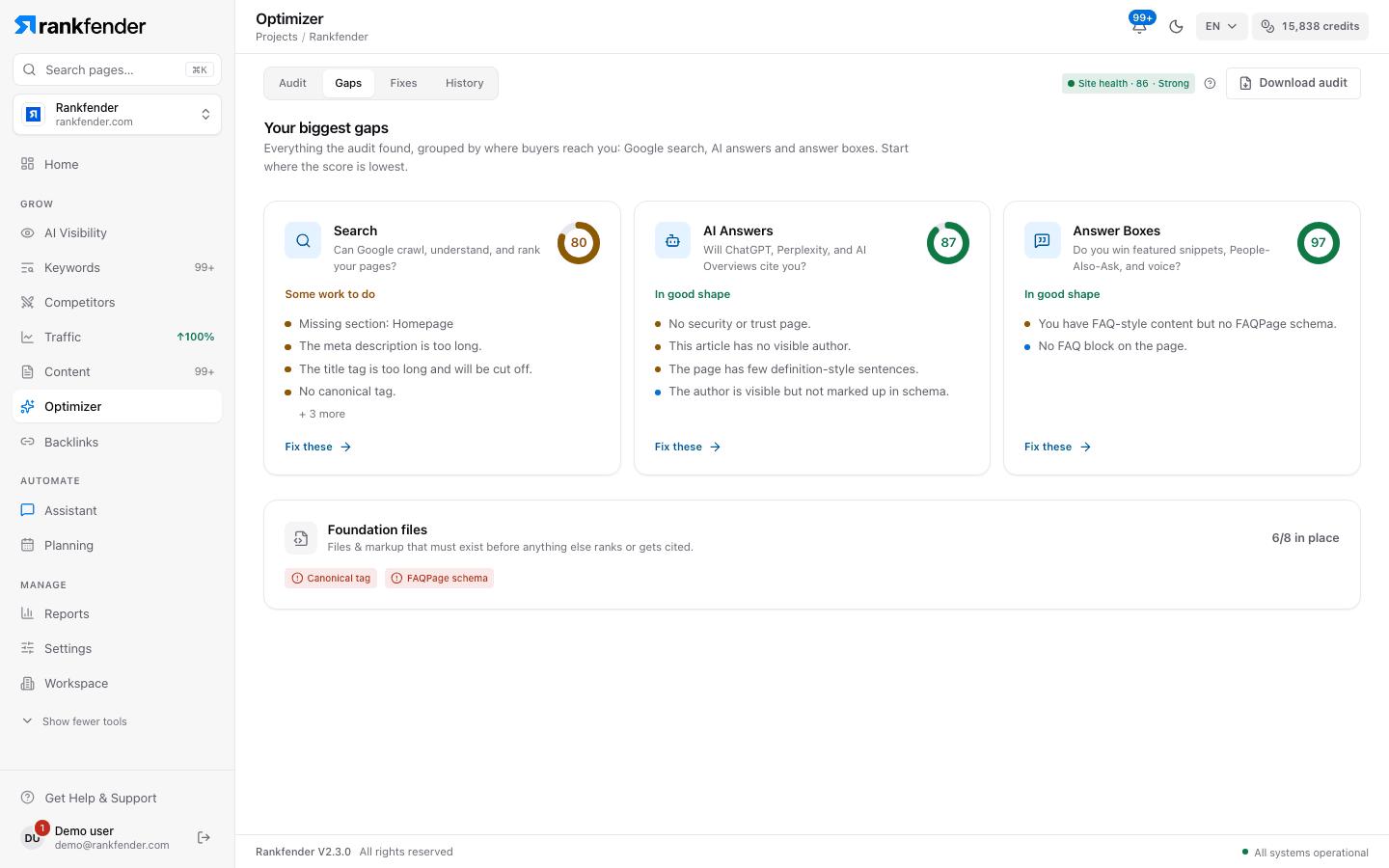
The three pillar cards
One card each for "Search", "AI Answers" and "Answer Boxes". Every card shows:
- the pillar's score in a small ring, and the question it answers,
- a status in plain words (below),
- its four most serious issues, then "+ N more" if there are others,
- "Fix these", which opens the Fixes tab.
| Pillar score | Status on the card |
|---|---|
| 85 to 100 | "In good shape" |
| 60 to 84 | "Some work to do" |
| 0 to 59 | "Needs attention" |
A pillar with nothing to fix says "No issues found."
Foundation files
"Files & markup that must exist before anything else ranks or gets cited." The card counts how many of the 8 foundation items are in place, for example "6/8 in place", and lists the missing or partial ones as red badges (such as llms.txt or FAQPage schema). When all are there: "All checked files are in place." The 8 items are explained on Audit.
How to use it
- Find the lowest pillar score.
- Read its top issues: they cost that pillar the most.
- Click "Fix these" and work through the list on Fixes.
Note
Gaps shows the audit that is open on the Audit tab. Before the first audit it reads "No gaps yet: Run the site audit to see your biggest gaps in Google search, AI answers and answer boxes."