Editorial calendar
Your articles and dated tasks day by day: generate a plan of up to 7 articles, drag items to another day and check the autopilot status.
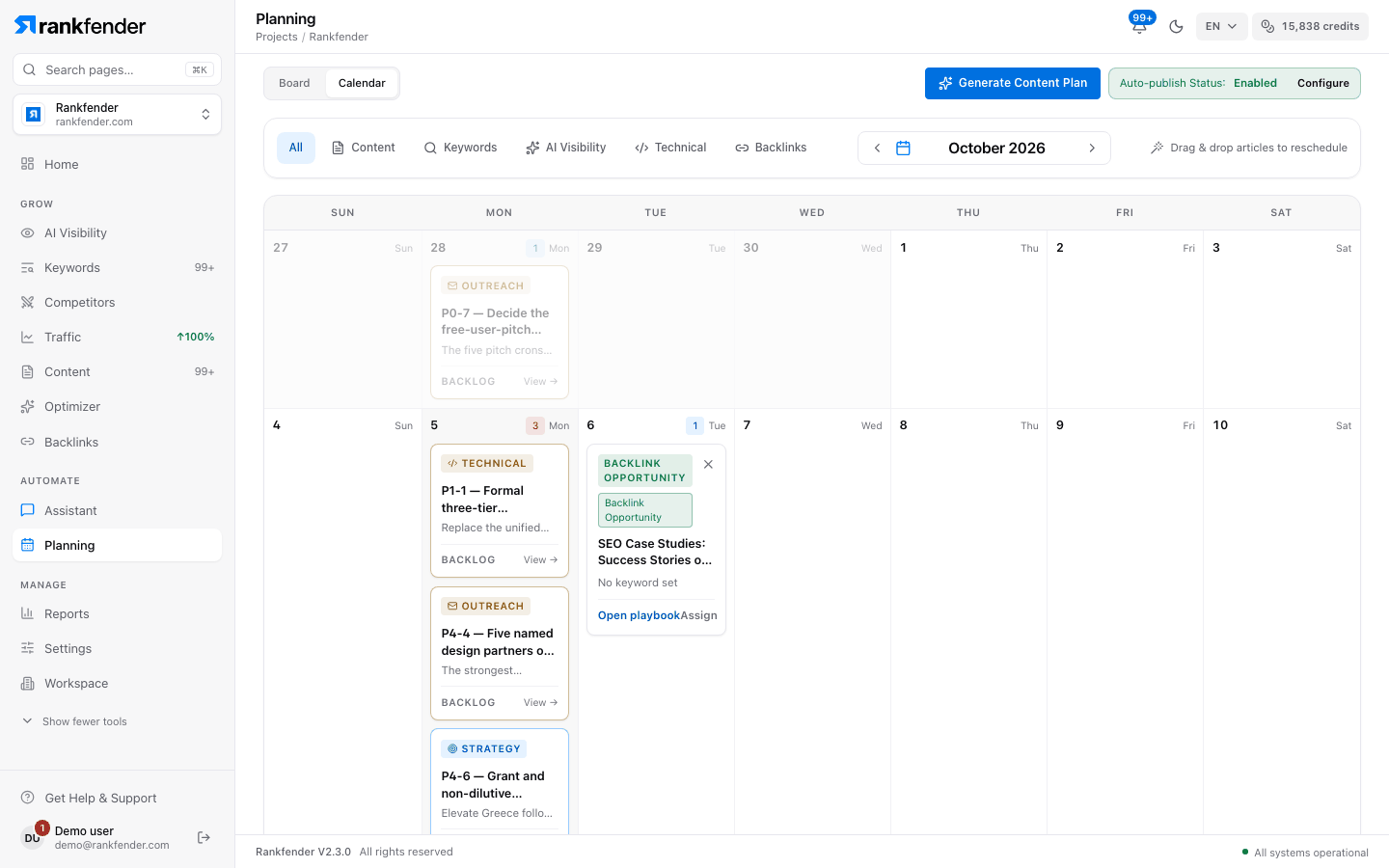
The calendar shows "Your articles and dated tasks, day by day." It replaces the old content planner of Content. Open it from Planning with the "Calendar" tab.
What is on the calendar
- Articles with a date: ideas still to write (button "To be generated", which writes the article), articles marked "Ready", articles being written and published ones.
- Tasks with a due date that aren't done yet.
The bar at the top filters by type ("All", "Content", "Keywords", "AI Visibility", "Technical", "Backlinks"), moves between months with the arrows, and folds empty weeks ("Show All" / "Collapse").
Move things around
Drag an article or a task to another day. A day holds two items at most, articles and tasks together; dropping a third one shows "Day is full".
Open tasks without a date are listed above the calendar under "Strategy backlog". The + next to a task puts it on the next free day; "Auto-place all" places all of them.
Generate a content plan
Click "Generate Content Plan"
Top right of the page. On an empty calendar, the page shows "Create my content plan" instead.
Choose the "Number of Articles"
"1 article (Generate Now)" writes one right away. 3, 5 or 7 create article ideas. Choices above your monthly article allowance are hidden: Essential goes up to 5.
Pick the "Start Date"
Tomorrow by default.
Click "Generate Plan"
Rankfender takes your highest-volume keywords from Keywords that no article on the calendar targets yet, and places the ideas on days with room, from the start date.
You need at least as many keywords as articles; otherwise you see "Not Enough Keywords". This window is in English in every language. Generating the plan needs the Owner, Admin or Editor role.
Important
One run creates 7 articles at most, on every plan: there is no bulk generation. Ideas count toward your monthly article allowance as soon as the plan creates them, so on Essential (5 a month) a plan of 5 uses the month. Writing an idea uses credits, about 30 per article.
Autopilot status
When WordPress or Modern Web publishing is connected, a pill next to the button reads "Auto-publish Status: Enabled" or "Disabled". "Configure" opens Content › Settings, where autopilot and auto-publish are set. See Publishing and autopilot.
Assign an article
"Assign" on an article that isn't published opens "Assign this article": the person gets a task by email to review and publish it, due on the article's date Professional and up. See Assigning tasks and guests.