Fixes
Every issue ranked by level and impact, with why it matters and how to fix it, and one click to add it to your Planning tasks.
"What to fix next" turns every issue of the audit into an action, ranked by impact. Each one says what is wrong, why it matters and how to fix it. Add the ones you will do to your Planning tasks.
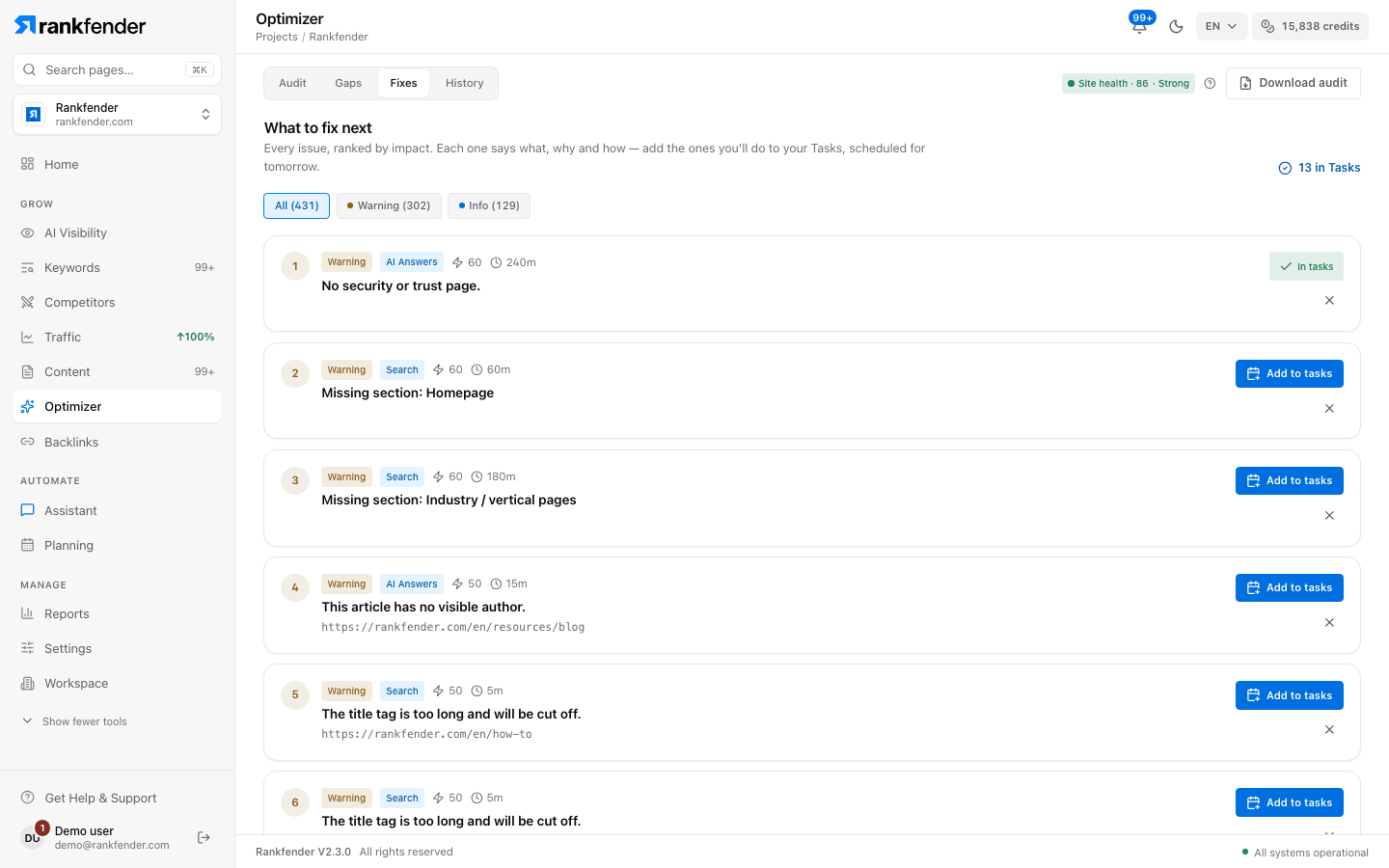
The list
Actions are sorted by level ("Critical" first), then by impact. An issue found on several pages appears once per page, so you can fix and track them one by one. Filter with the chips at the top: "All (N)", "Critical (N)", "Warning (N)", "Info (N)".
| On each card | What it tells you |
|---|---|
| Number | Its rank in the list. |
| Level | "Critical", "Warning" or "Info". |
| Pillar | "Search", "AI Answers" or "Answer Boxes". |
| Lightning figure | Impact, from 0 to 100: how much fixing it should help. |
| Clock figure | A rough effort estimate in minutes, when one is known. |
| Title and address | What is wrong, and the page it is on. |
Click the title to open "Why it matters" and "How to fix", often as numbered steps, and sometimes an "Example" of the code or text to add, with "Copy". Every check is explained on Every check explained.
Add a fix to your tasks
"Add to tasks" creates a task in Planning, scheduled for tomorrow, with the issue as its title and the fix as its description. The button turns into "In tasks". The link "N in Tasks" at the top opens Planning. To add everything at once, use "Add all to Planning" in "Download audit" (see Audit).
When a later audit finds the issue gone everywhere it was, the task is marked done for you. A partial fix leaves the task open. See History.
Dismiss what you won't fix
The × button ("Dismiss") greys a card out and crosses its title, for example a noindex you set on purpose. The round-arrow button ("Reopen") brings it back. Dismissing is remembered in this browser only; it does not change the score, which always reflects what the audit found.
Rankfender does not change your site
The audit only reads your pages. Every fix is a change you or your developer make on your site or in your CMS. Then run the audit again: History shows what is now fixed, page by page.
Tip
Fix the "Critical" items first: they hold everything else back. A noindex homepage or a robots.txt that blocks the whole site caps the score at 20 on its own.