Top pages
Your competitors' pages that bring the most visits, their publishing pace and what they published lately.
Top pages answers two questions about one competitor: which of their pages bring them the most visits from Google, and how fast do they publish? Use it to find the topics worth a better page of your own.
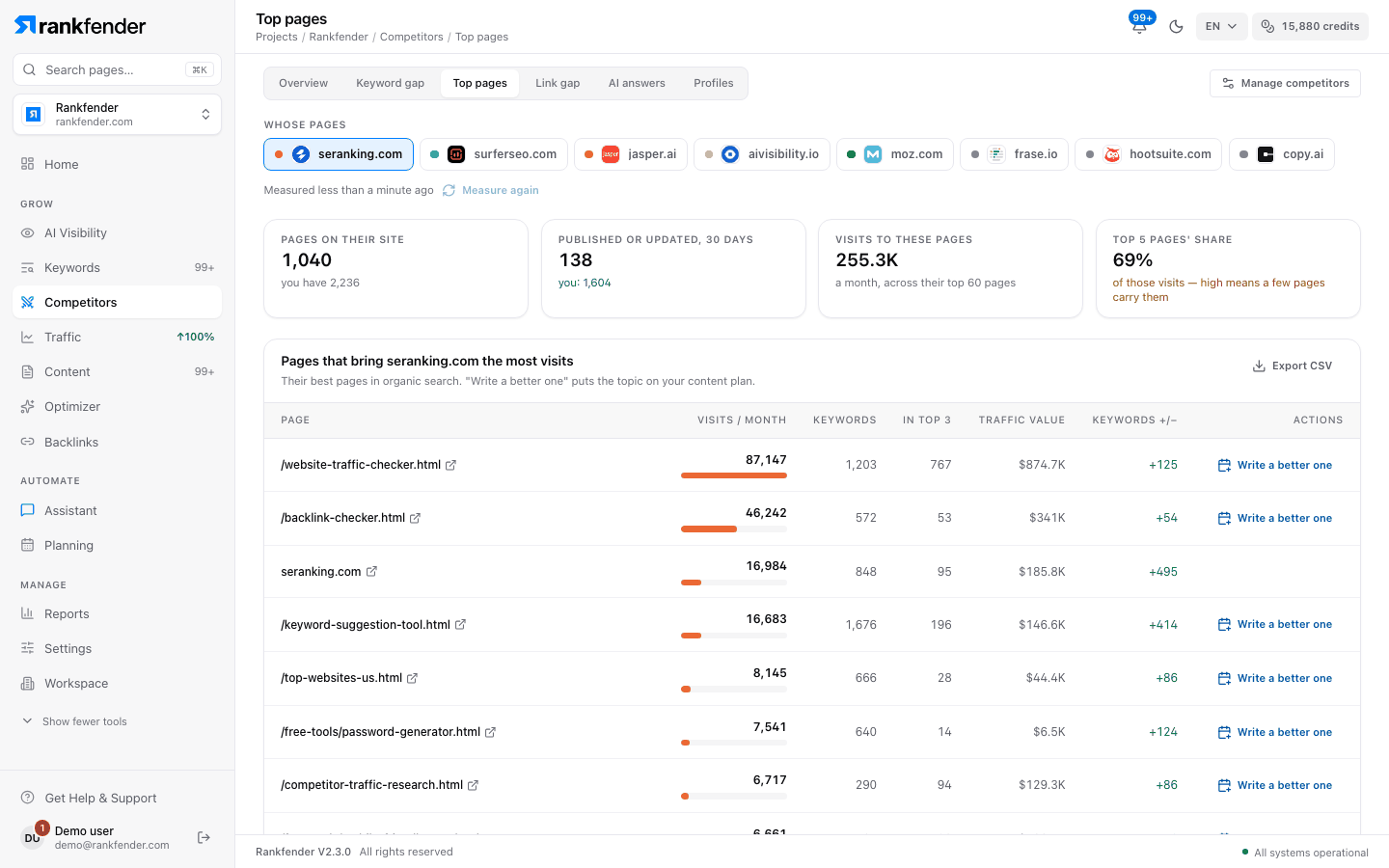
Pick whose pages
Choose the competitor in "Whose pages". The first time, Rankfender finds the pages that bring them visits, then reads their sitemap and yours to compare.
The four figures
| Figure | What it shows |
|---|---|
| "Pages on their site" | Pages listed in their sitemap, with "you have N" for your own sitemap. |
| "Published or updated, 30 days" | Pages their sitemap dates in the last 30 days, with your count next to it. |
| "Visits to these pages" | Estimated visits a month, across their top ranking pages. |
| "Top 5 pages' share" | The part of those visits that their 5 best pages bring. High means a few pages carry them. |
Pages that bring them the most visits
Up to 60 of their pages in organic search, ordered by estimated visits.
| Column | What it shows |
|---|---|
| "Page" | The page address. Click it to open the page. |
| "Visits / month" | Estimated visits a month this page gets from Google. |
| "Keywords" | Searches the page appears for in the top 100. |
| "In top 3" | Searches where the page is in positions 1 to 3. |
| "Traffic value" | What those visits would cost a month as search ads. |
| "Keywords +/−" | Keywords this page gained minus keywords it lost. |
| "Actions" | "Write a better one" (below). |
"Write a better one" puts the topic on your content plan, with a working title taken from the page address (for example /blog/coffee-grinders/ becomes "Coffee grinders") and their page as the source. You see "Added to your content plan". It needs the Owner, Admin or Editor role, and it does not appear on pages without a readable address, such as the home page. Then write it from Content. "Export CSV" downloads the table.
Publishing pace
Pages published or updated each month over the last 12 months, them and you. A page counts in the month its sitemap says it was last published or updated. Sites without dates in their sitemap can't be counted.
Latest on their site
The 30 pages they published or updated most recently, with the date from their sitemap.
When something is missing
| Message | What it means |
|---|---|
| "No ranking pages found" | The site has no pages in the top 100 for your project's country yet. |
| "No sitemap found" | The site doesn't publish a readable sitemap, so its pages can't be counted. |
| "Their sitemap has no dates" | The sitemap lists pages but none says when it was published, so the pace can't be drawn. |
Note
Sitemap dates are what each site declares. An updated page counts the same as a new one, and some sites stamp every page with today's date, which makes their pace look higher than it is.
These are estimates
Visits, keywords, positions and traffic value come from a search-data provider. Visits are worked out from the positions a site holds and how many people usually click at each position. They are not the competitor's own analytics and can differ a lot from what the site really gets. Use them to compare sites with each other, not as exact counts.