Keywords Overview
Up to 30 searches picked from your site with volume, difficulty, intent and CPC, the Rankings tab, plan limits and who can change keywords.
Keywords lists "the Google searches that can bring you customers, and where you rank for each." Rankfender reads your pages, measures real search demand and keeps up to 30 searches most likely to bring customers, with monthly searches, difficulty, intent and cost per click. Searches stamped with a past year, such as "best crm 2024", are dropped.
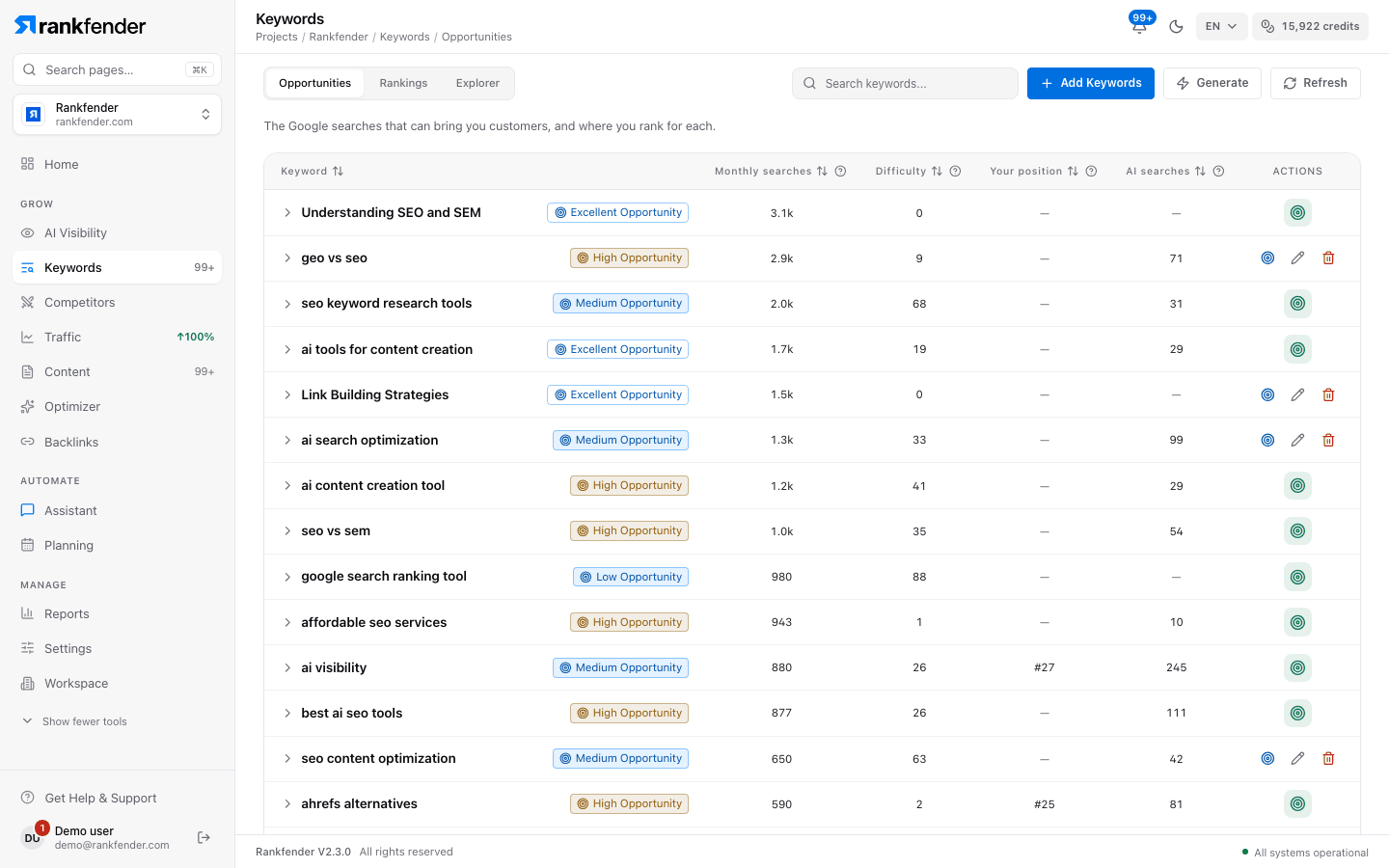
The tabs
| Tab | What it shows |
|---|---|
| Opportunities | Your project's keyword list with its Google numbers. You target keywords from here. See Keyword Opportunities. |
| Rankings | The searches where Google already shows your site, from Google Search Console. See Rankings. |
| Explorer | Keyword Explorer is in early access and not yet open to customers. The tab says "Keyword Explorer is in early access". |
Where your keywords come from
- At setup, Rankfender picks up to 30 searches from your site. They carry the source "AI Generated".
- Generate adds up to 30 more, never one you already have or removed.
- Add Keywords adds your own: one keyword, a list, or a CSV file. See Adding and importing keywords.
How the 30 are chosen, step by step, is on Keyword Opportunities. What each number means is on Keyword Metrics Explained.
Keyword limits by plan
| Plan | Keywords per project |
|---|---|
| Essential | 50 |
| Professional | 150 |
| Business | 350 |
| Agencies | Unlimited |
Pay as you go has the Essential limits. At the limit, the page shows "You are at your plan's keyword limit". Setup may suggest more keywords than your plan tracks; they all stay listed. To add new ones, remove a few or upgrade.
Who can change keywords
| Role | What they can do |
|---|---|
| Admin | Add, generate, refresh, rename and delete keywords, and target them. |
| Editor | Target keywords (plan an article). Cannot add or delete keywords. |
| Viewer | Read only. |
Credits
Measuring keywords uses credits from your monthly allowance: picking keywords, refreshing their numbers, related searches and content ideas. As a guide, one keyword research search costs about 4 credits. Your balance is in the credits chip at the top of the screen; see Monthly credits.
Tip
New project? "Pick your first keyword to target" is step 4 of Your first week.